Flowcharts are the most versatile diagram type in Mermaid. They suit descriptions of processes, algorithms, pipelines, and any sequence of steps with decision points.
Basic Syntax
A flowchart starts with the keyword graph or flowchart, followed by the direction:
graph TD
    A[Start] --> B[Step 1]
    B --> C{Condition?}
    C -- Yes --> D[Step 2]
    C -- No --> E[End]
    D --> E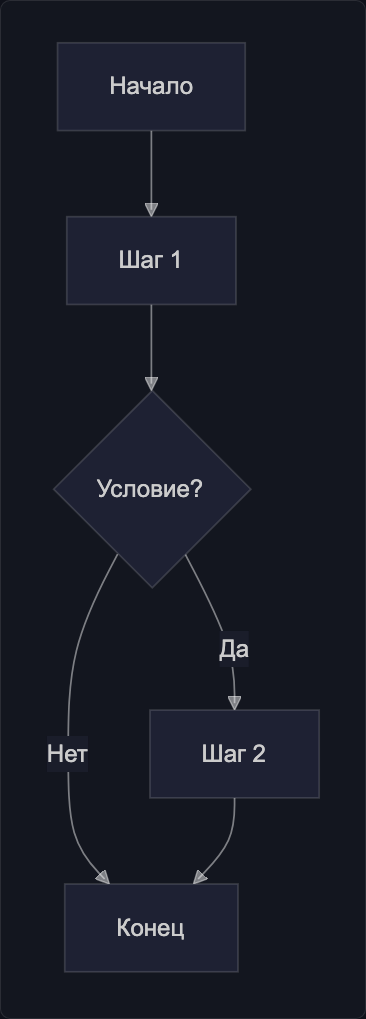
Directions
| Code | Direction |
|---|---|
TD or TB | Top to bottom |
LR | Left to right |
BT | Bottom to top |
RL | Right to left |
graph LR
    A[Input] --> B[Process] --> C[Output]
Node Shapes
The node shape is set by the brackets surrounding the text:
graph TD
    A[Rectangle]
    B(Rounded)
    C{Diamond — decision}
    D[(Cylinder — DB)]
    E((Circle))
    F>Flag]
    G[/Parallelogram/]
    H{{Hexagon}}
| Syntax | Shape | Use |
|---|---|---|
[text] | Rectangle | Regular step |
(text) | Rounded rectangle | Start/end |
{text} | Diamond | Condition |
[(text)] | Cylinder | Database |
((text)) | Circle | Event |
[/text/] | Parallelogram | Input/output |
{{text}} | Hexagon | Preparation |
Link Types
graph LR
    A -->|Arrow with text| B
    C --- D
    E -.->|Dashed| F
    G ==>|Thick| H
    I --o J
    K --x L
M <--> N| Syntax | Description |
|---|---|
--> | Arrow |
--- | Line without arrow |
-.-> | Dashed arrow |
==> | Thick arrow |
--o | Circle at end |
--x | Cross at end |
<--> | Bidirectional |
Text on a link is added via |text| or -- text -->:
graph TD
    A -->|success| B
    A -- error --> C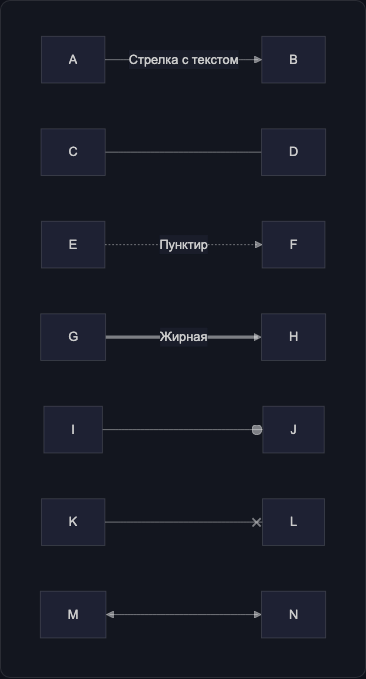
Subgraphs
Use subgraph to group nodes:
graph TD
    subgraph Frontend
        A[React App] --> B[API Client]
    end

    subgraph Backend
        C[Go Handler] --> D[(PostgreSQL)]
    end

    B --> C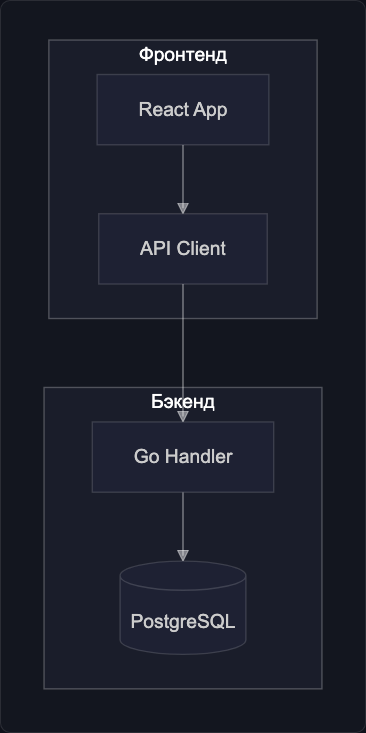
Node Styles
Styles are applied via style or classes:
graph TD
    A[Success]:::success
    B[Error]:::error
    C[Process]

    classDef success fill:#22c55e,stroke:#16a34a,color:#fff
    classDef error fill:#ef4444,stroke:#dc2626,color:#fff

    A --> C --> B
Example: Deployment Pipeline
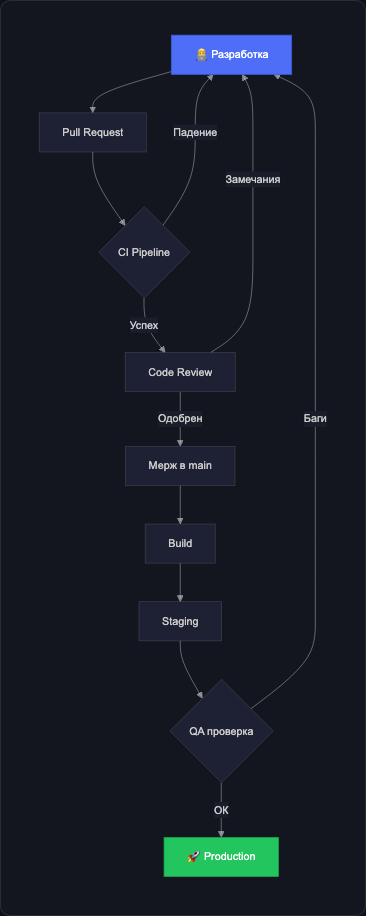
graph TD
DEV[👨💻 Development] --> PR[Pull Request]
PR --> CI{CI Pipeline}
CI -- Failure --> DEV
CI -- Success --> REVIEW[Code Review]
REVIEW -- Changes Requested --> DEV
REVIEW -- Approved --> MERGE[Merge to main]
MERGE --> BUILD[Build]
BUILD --> STAGING[Staging]
STAGING --> QA{QA Check}
QA -- Bugs Found --> DEV
QA -- Passed --> PROD[🚀 Production]
style PROD fill:#22c55e,color:#fff,stroke:#16a34a
style DEV fill:#4f6ef7,color:#fff,stroke:#3b5bdb